
Contenido
PhotoCraft: Is Adobe’s Photoshop Dominance Ending?
A new open-source image editor called PhotoCraft is challenging one of the biggest assumptions in professional design: that Photoshop familiarity must mean staying inside Adobe’s ecosystem. Built in Rust, designed around familiar Photoshop workflows and capable of working with layered PSD files, PhotoCraft is still early alpha—but its approach could be more important than its current feature list. For designers, entrepreneurs, developers and content creators, the question is no longer simply “Can it replace Photoshop?” It’s “Which parts of my workflow still require Adobe?” Here’s what PhotoCraft’s launch could mean for the global creative software market.

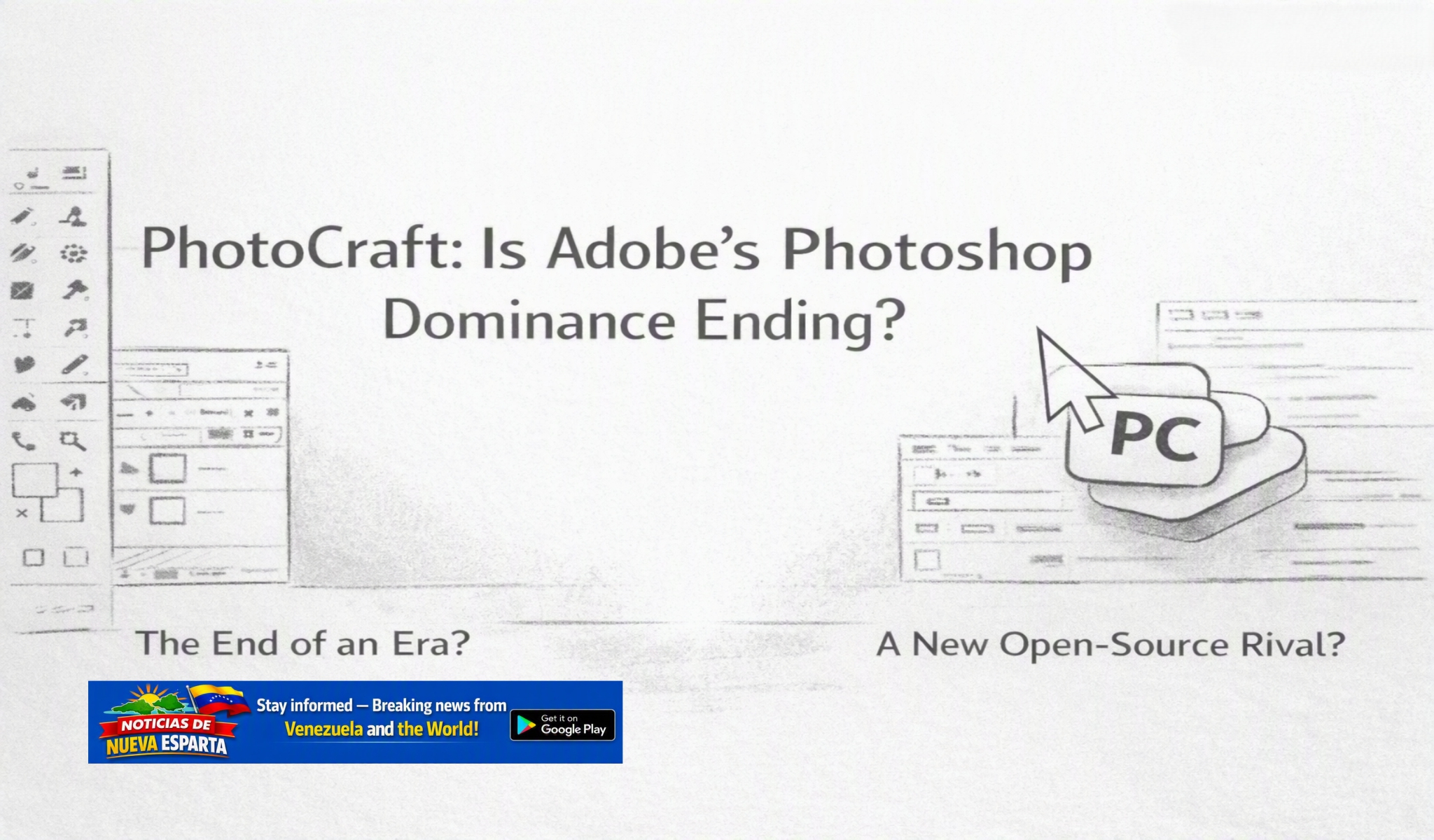
For decades, Adobe Photoshop has been one of the defining tools of digital image editing. Now, a new open-source project called PhotoCraft is challenging that position with an unusually direct strategy: build an image editor that feels familiar to Photoshop users while offering an open-source, offline alternative.
#PhotoCraft #Photoshop #Adobe #OpenSource #ImageEditing #GraphicDesign #CreativeSoftware #AIAutomation #PSD #Tech
PhotoCraft is not yet a proven Photoshop replacement. Its own developers describe it as an early-alpha project, and important professional features and workflows remain incomplete. But its arrival is significant because it attacks one of Photoshop’s strongest advantages: familiarity.
Key takeaway: PhotoCraft does not mean Adobe’s Photoshop business has suddenly collapsed. It does mean the traditional assumption that professional image editing must happen inside Adobe’s ecosystem is being challenged by an open-source project designed around familiar Photoshop workflows, real PSD files, local computing, and automation.
Table of contents
- What is PhotoCraft?
- Why PhotoCraft matters worldwide
- Benefits and opportunities
- Risks and trade-offs
- Human impact
- Planetary impact
- What to do next
- FAQ
What is PhotoCraft?
PhotoCraft is an open-source image editor built in the Rust programming language. Its developers describe it as a clean-room reimplementation of Photoshop, with support for layers, masks, adjustment layers, layer styles, type, vectors, brushes and layered PSD documents.
The project’s central idea is simple: if you already know Photoshop, you should not have to relearn image editing from scratch.

PhotoCraft deliberately uses familiar menus, shortcuts, panels and editing concepts. It can open and save layered Photoshop documents, and its website describes versions for macOS, Windows, Linux and the web.
That combination is important.
Many Photoshop alternatives compete by offering different interfaces or simplified workflows. PhotoCraft instead attempts to reduce the switching cost for existing Photoshop users.
The project released version 0.2.0 on October 5, 2026, with installers including macOS, Windows and Linux builds. The project remains in early alpha, however, and its developers explicitly warn users to expect rough edges while development continues toward broader Photoshop parity.
The distinction matters: PhotoCraft is an emerging competitor, not evidence that Photoshop has already been replaced.
Why PhotoCraft matters worldwide
Adobe’s position in creative software has historically benefited from more than Photoshop’s features. It also benefits from professional familiarity, file compatibility, established workflows, training, plugins, teams and the broader Creative Cloud ecosystem.
That creates a powerful form of technological lock-in.
A designer who has spent years learning Photoshop may not want to spend months learning a completely different application. A marketing department may have thousands of PSD files. A freelancer may need to exchange files with agencies and clients. A developer may have built automation around existing workflows.
PhotoCraft’s strategy addresses that problem directly.
Its project documentation emphasizes familiar controls and real PSD support. It also makes another important departure from traditional subscription software: PhotoCraft is designed to run locally and is open source.
That could matter to several global audiences.
Entrepreneurs
For small businesses and independent entrepreneurs, software costs can become a recurring operating expense. Photoshop currently has subscription plans, including a standalone Photoshop plan listed by Adobe at US$22.99 per month when billed annually, monthly. Adobe also offers Photoshop through larger Creative Cloud plans.
An open-source alternative changes the economic conversation.
Instead of asking, “Which Adobe subscription should we buy?” entrepreneurs can increasingly ask, “Which editing workflow gives us the capabilities we actually need?”
That does not automatically make PhotoCraft cheaper in total cost. Training, support, compatibility and missing features can have economic value. But competition gives buyers another option.
Graphic designers
Designers are likely to be among the most interested potential users.
PhotoCraft supports familiar concepts such as layers, masks, adjustment layers, type and PSD files. That makes experimentation considerably easier than moving to an unrelated editing paradigm.
However, professional designers should be cautious. PhotoCraft’s own documentation identifies its alpha status, and its public issue tracker shows active work involving performance, typography, color management, layer styles and other advanced workflows.
For professionals, the correct question is therefore not “Can PhotoCraft replace Photoshop?”
It is:
“Can PhotoCraft replace Photoshop for this particular workflow?”
That is a much more useful test.
Developers and automation builders
PhotoCraft may be particularly interesting to developers.
The project describes every editing action as a command that can be driven through its user interface, command-line tools, JSON control channels or an MCP server.
That architecture opens the door to programmatic image editing.
For developers building content pipelines, marketing automation, AI agents or internal creative tools, an image editor that exposes its operations as commands can become more than a desktop application.
It can become infrastructure.
Content creators and marketing ecosystems
Content creators increasingly need to produce images for websites, social networks, advertising campaigns, newsletters, ecommerce listings and video.
The ability to edit locally and automate repetitive operations could be valuable.
Imagine a marketing workflow in which a product image is automatically opened, resized, layered with campaign graphics, exported into multiple formats and prepared for different platforms.
The commercial opportunity is not necessarily about defeating Adobe feature-for-feature.
It is about making image editing programmable.
Benefits and opportunities
PhotoCraft’s biggest opportunity is that it combines several trends already reshaping software.
Open source
Because the project is open source, developers can inspect the code, contribute improvements and potentially adapt the software to specialized workflows.
That creates possibilities that are harder to achieve with closed proprietary software.
Familiarity
The Photoshop-like interface is arguably the project’s most commercially important design decision.
A familiar interface reduces training friction.
For an experienced designer, learning another application can be expensive even when the software itself is free. Familiarity can therefore be a competitive advantage.
PSD compatibility
Photoshop Document files are deeply embedded in professional creative workflows.
PhotoCraft’s ability to open, edit and save layered PSD files is therefore strategically important. It makes the software potentially useful without requiring an organization to abandon its existing document archive.
Compatibility is not the same as perfect compatibility, though. Complex professional documents should always be tested before production use.
Local and offline operation
PhotoCraft emphasizes local operation rather than requiring users to put every editing task into a cloud-based workflow.
That can be attractive to organizations concerned with privacy, connectivity, data control or internal workflows.
AI-agent and automation potential
Perhaps the most forward-looking aspect is its command-driven architecture.
The future competition in creative software may not simply be about which application has the most buttons.
It may be about which applications can cooperate with humans, scripts and AI agents.
PhotoCraft is explicitly positioning itself in that direction.
Risks and trade-offs
The biggest mistake would be to interpret PhotoCraft’s arrival as proof that Adobe’s business model is already finished.
The evidence does not support that conclusion.
Adobe remains a major creative-software company, and Photoshop continues to receive substantial development, including AI-powered features, web and mobile access, and integration with other Creative Cloud products.
At the same time, Adobe has faced significant criticism over its subscription practices.
In 2024, the U.S. Federal Trade Commission announced enforcement action against Adobe, alleging that the company hid early termination fees and made cancellation difficult. Adobe disputed those allegations and said it would contest the FTC’s claims.
That history is relevant to the broader competitive conversation, but it does not establish that Adobe operates an illegal monopoly.
“Monopoly” can have a specific economic and legal meaning. A company can have a dominant product without legally being a monopoly, and a powerful market position does not automatically establish anticompetitive conduct.
The more defensible argument is that PhotoCraft increases competitive pressure on an established market leader.

PhotoCraft’s own limitations
Early-stage software brings its own costs.
PhotoCraft’s developers identify the project as early alpha. Public development issues also show unresolved problems involving performance with complex layered documents, color management and other advanced capabilities.
Professional users may therefore encounter:
- Missing or incomplete features
- Compatibility differences
- Performance problems with complex projects
- Limited plugin compatibility
- Workflow differences
- Documentation or support limitations
- Bugs associated with early-stage software
For mission-critical commercial production, these issues matter.
The sensible approach is gradual adoption rather than an overnight migration.
Human impact
The potential human impact is substantial because creative software affects people’s ability to work.
For freelancers, photographers, designers, marketers and small businesses, lower barriers to professional image editing could expand access to creative tools.
Students could experiment with advanced concepts without necessarily committing to a commercial subscription.
Developers could build specialized workflows around an open platform.
Organizations could potentially gain greater control over their software infrastructure.
But there is another side.
Learning and maintaining an early-stage tool takes time. A business that migrates too quickly could lose productivity if a required feature does not work correctly.
Professional users also depend on predictable workflows. A free application is not automatically less expensive if employees spend hours troubleshooting compatibility problems.
The economic impact therefore depends on the individual workflow.
Planetary impact
The environmental consequences of PhotoCraft are more difficult to quantify.
Local software can reduce dependence on certain cloud workflows, but that does not automatically mean a lower environmental footprint. Desktop computers consume electricity, software development requires computing resources, and cloud infrastructure continues to play a role in distributing software and supporting online services.
There is also a potential efficiency benefit when software allows older hardware to remain useful, but there is not enough evidence to claim a specific environmental advantage for PhotoCraft over Photoshop.
The responsible conclusion is therefore simple:
PhotoCraft may change where and how image editing is performed, but its net environmental impact requires further measurement.
What to do next
If you are an entrepreneur, designer, developer or content creator interested in reducing dependence on Adobe, do not begin by deleting Photoshop.
Start with a controlled experiment.
1. Download PhotoCraft from its official project sources
Review the current release rather than relying on old demonstrations or social-media claims.
2. Test real PSD files
Take copies of several representative projects.
Test:
- Layered compositions
- Text layers
- Masks
- Adjustment layers
- Smart objects
- Color-managed files
- Large documents
- Existing production templates
3. Compare workflows
Measure the tasks that actually matter to your business.
A theoretical feature comparison is less useful than asking whether you can complete your daily work efficiently.
4. Keep Adobe available during the transition
For professional environments, consider PhotoCraft an additional tool until it proves reliable enough for your particular production requirements.
5. Test automation
Developers should investigate PhotoCraft’s command-oriented architecture and determine whether it can support automated image-production pipelines.
6. Watch the project closely
Because PhotoCraft is moving quickly, capabilities can change rapidly. Release notes, documentation and issue reports are more useful than outdated reviews.
The larger lesson for businesses is broader than PhotoCraft itself:
Do not build your entire creative operation around the assumption that one software ecosystem will remain indispensable forever.
FAQ
Is PhotoCraft a replacement for Adobe Photoshop?
Not yet for every professional workflow. PhotoCraft is an early-alpha project with a growing set of Photoshop-like capabilities and PSD support, but its own developers acknowledge that development toward full parity is ongoing.
Is PhotoCraft free?
PhotoCraft is presented by its developers as free and open-source software. Users should still evaluate the practical costs of training, support, hardware and workflow migration.
Can PhotoCraft open Photoshop PSD files?
Yes. PSD support is one of the project’s central features. The developers report extensive testing against real PSD documents, but users should test their own production files because compatibility can vary with document complexity.
Does PhotoCraft work on Windows, Mac and Linux?
The project provides builds for major desktop platforms, including Windows, macOS and Linux, and also offers a web version.
Is Adobe Photoshop a monopoly?
That conclusion should not be stated simply as fact. Adobe is a major player in creative software, but “monopoly” has specific economic and legal implications. The FTC has separately brought a case concerning Adobe’s subscription cancellation practices; Adobe disputes the allegations.
Should businesses switch from Photoshop to PhotoCraft?
Businesses should test PhotoCraft against their actual workflows before making a full migration. For some users it may become a useful alternative or secondary editor; for others, Photoshop’s mature ecosystem may remain important.
Conclusion
PhotoCraft is unlikely to make Adobe disappear overnight.
That is not what makes it interesting.
Its significance is that it challenges a long-standing assumption in professional image editing: that familiarity, compatibility and professional workflows necessarily require membership in a proprietary software ecosystem.
PhotoCraft’s open-source model, familiar Photoshop-style workflow, PSD support, local architecture and automation capabilities give entrepreneurs, designers, developers and creators another option to investigate.
Adobe still has enormous advantages, including a mature ecosystem, extensive professional adoption and years of development. PhotoCraft has something different: the opportunity to rebuild the editing experience around openness, local control and automation.
Whether that becomes a serious competitive threat will depend on execution.
For now, the most accurate headline is not “Adobe’s monopoly has fallen.”
It is more interesting:
The walls around professional image editing are getting lower.
And for users, competition is usually worth watching.
Sources and further reading
- PhotoCraft — Official project page — ArtCraft, accessed October 2026
- PhotoCraft — GitHub repository — ArtCraft / PhotoCraft contributors, accessed October 2026
- PhotoCraft releases — GitHub, October 2026
- Adobe Photoshop — Adobe, current product information
- Adobe Photoshop pricing and plans — Adobe, current pricing
- FTC case: Adobe, Inc., U.S. v. — Federal Trade Commission
- FTC action against Adobe over subscription cancellation practices — Federal Trade Commission, 2024
- Adobe’s statement regarding the FTC complaint — Adobe, 2024
PhotoCraft vs Photoshop, Photoshop alternative, Adobe Photoshop alternative, open source image editor, free Photoshop alternative, PSD editor, PhotoCraft image editor, PhotoCraft, Photoshop, Adobe, Open Source, Image Editing, Graphic Design, Creative Software, AI Automation, PSD, Worldwide,
Discover more from Noticias de Nueva Esparta
Subscribe to get the latest posts sent to your email.

You must be logged in to post a comment.